Automation

Catching run-only …
You’ve just deployed an approval solution to UAT. The pipeline ran clean, export, unpack, solution checker, artifact published. Everything green.
Then you notice a Child Flow is off 😡.
Not erroring. Not failing. Just off, sitting there in a turned-off state as if it never wanted to run.
The …

Send Sales Orders to Zoho …
Send Sales Orders to Zoho Sign from Zoho CRM with a Custom Deluge Function
Overview
The native Zoho CRM ↔ Zoho Sign integration is fine for the simplest case: pick a template, pick a recipient, hit send. The moment you want anything beyond that control the document name, pick the template …

Cloning Power Automate …
Introduction
When you build a document trigger on top of SharePoint, you quickly run into a fundamental constraint: a SharePoint trigger Flow is hardwired to a single Site and Library. There is no native way to point one Flow at a dynamic or configurable location, the Site URL and Library GUID are …
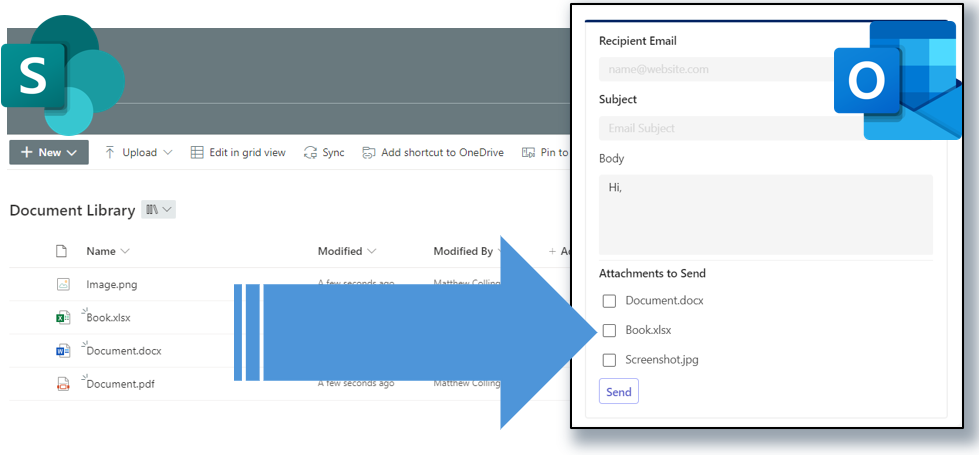
Send Multiple files as …
Have you ever needed to email multiple specific files as attachments from a SharePoint Document Library? There is documentation on how to send ALL the files in a given folder (https://learn.microsoft.com/en-us/microsoft-365/community/power-automate-send-sharepoint-files-as-attachments), but here …

Using Mermaid JS to …
###Introduction This is the “bonus part” of my blog series on creating a Conversational Approval Process using Power Automate and Microsoft Teams.
I needed a way to produce an easy to read depiction of the steps of a process to users or even a way to debug what happened. After seeing Jon …